TL;DR
Facility work order automation works best when teams standardize intake, route jobs by rules, track status in real time, and measure closeout quality. Start with high-volume requests, connect vendor and asset data, then expand automation only after the workflow is clean.
Manual tickets look cheap until a leaking HVAC unit, missed vendor update, and duplicate request all hit the same property in one morning. Learning how to automate facility work orders means turning requests, approvals, dispatch, updates, and closeout into a repeatable workflow that still gives facilities teams control. [Facility work order automation]: the use of software rules, forms, routing, notifications, and integrations to create, assign, track, and close maintenance work with less manual coordination. Platforms such as Leansite help multi-site teams replace inbox-based triage with structured work order flows, mobile visibility, and cleaner operating data.
Table of Contents
What is facility work order automation?
Facility work order automation is a digital process that captures maintenance requests, classifies them, routes them to the right person or vendor, tracks status, and stores completion data automatically. The goal is not to remove facility managers from decisions. The goal is to remove repeated admin work from every request.
A modern automated workflow usually connects four pieces: request intake, assignment logic, communication, and reporting. A request from a store, campus building, tenant, or technician becomes a structured record instead of a loose email thread.
"The first rule of any technology used in a business is that automation applied to an efficient operation will magnify the efficiency.", Bill Gates, The Road Ahead quote listing
Automation works best after the facility team defines what a good work order looks like. Required fields, priority levels, location data, asset tags, photos, and cost codes keep the workflow useful after volume increases.
Core terms facilities teams should standardize
- Request: the first report of a maintenance need, such as a broken door, hot room, or plumbing issue.
- Work order: the approved, trackable job record with scope, assignee, location, priority, and due date.
- Routing rule: logic that sends work to an internal technician, trade group, vendor, or approver.
- SLA: the target response or completion time for a job type or priority.
- Closeout: the final proof of completion, often including notes, photos, labor, parts, and invoice details.
For teams still cleaning up the basics, this guide on how to simplify facility work orders fast gives a practical pre-automation starting point.
How to automate facility work orders step by step
Facility work orders can be automated by standardizing request intake, setting priority rules, routing work by location and trade, triggering notifications, capturing mobile updates, and reviewing performance data weekly. The best rollout starts with one repeatable workflow before expanding to preventive maintenance, vendors, and multi-location reporting.
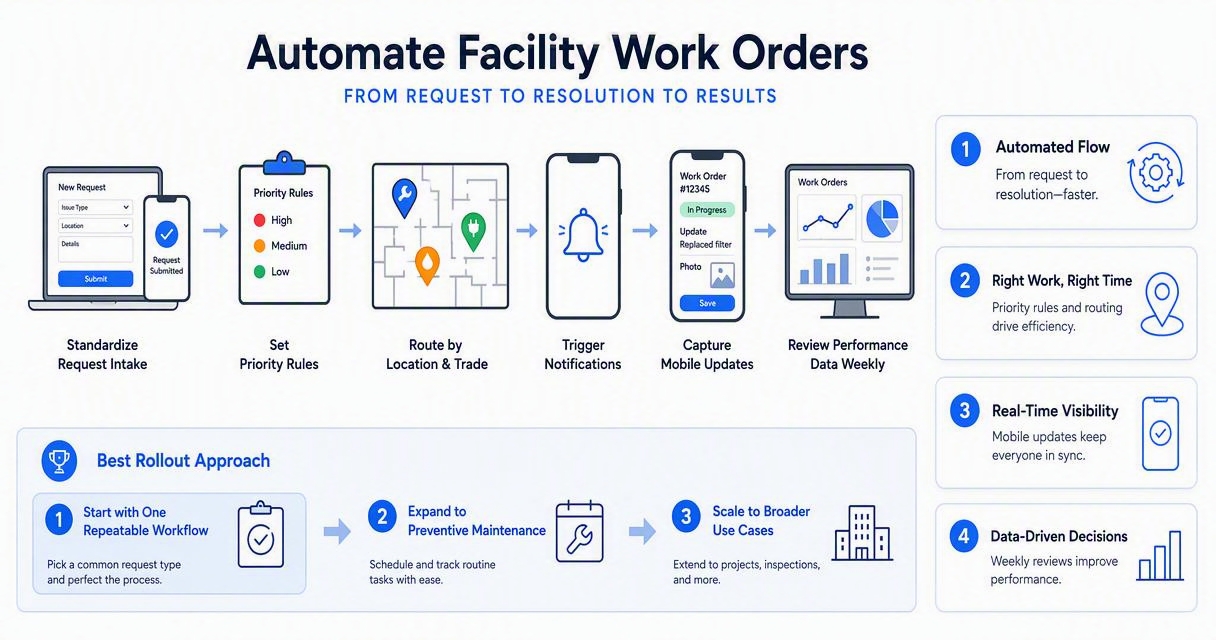
A practical automation sequence
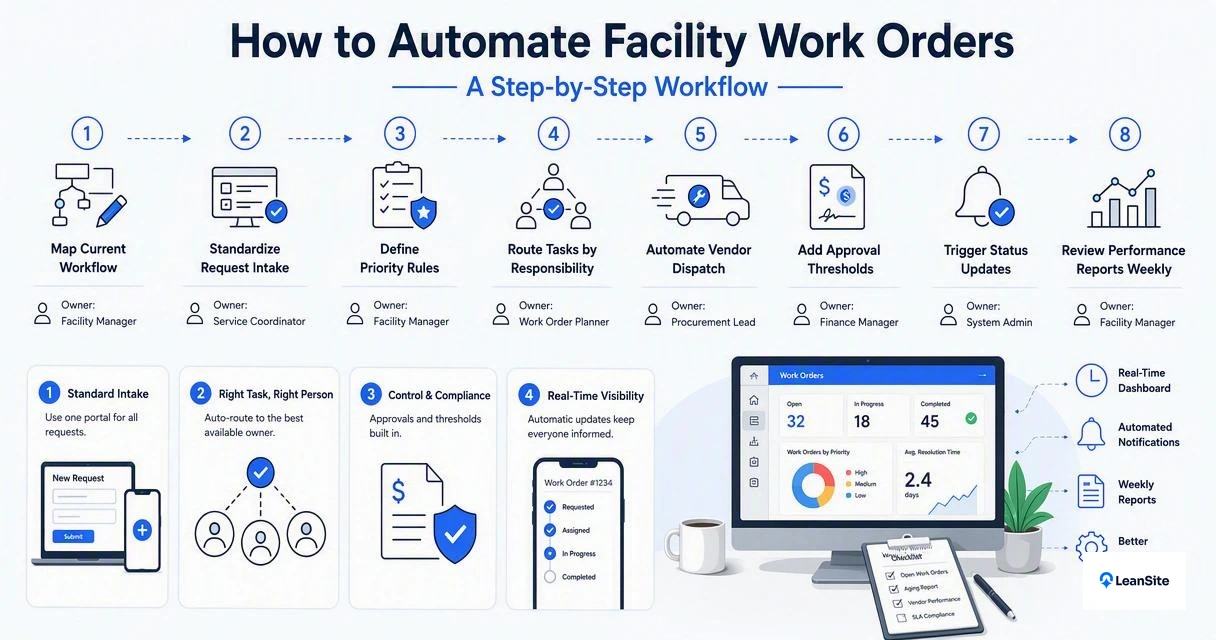
- Map the current workflow. Document how requests arrive, who approves them, who assigns them, and where updates get lost.
- Create standard request forms. Include location, asset, issue type, urgency, photos, and requester contact.
- Define priority rules. Separate emergency, safety, revenue-impacting, compliance, and routine work.
- Route by condition. Send HVAC to HVAC vendors, janitorial to onsite teams, and capex requests to approvers.
- Automate notifications. Alert requesters, technicians, vendors, and managers when status changes.
- Use mobile closeout. Require photos, notes, time, materials, and signature when needed.
- Review dashboards. Track overdue work, repeat issues, vendor response, and cost by site.
Teams running large portfolios should also plan for cross-site standards. The article on automating work orders across 100 locations covers rollout patterns for regional and national operations.
Workflow stages and automation rules
| Work order stage | Manual pain point | Automation rule to add |
|---|---|---|
| Intake | Requests arrive by text, email, and phone | Use one form with required fields and photo upload |
| Triage | Managers sort every ticket by hand | Auto-tag by issue type, asset, site, and priority |
| Assignment | Jobs wait for a dispatcher | Route by trade, location, availability, or vendor contract |
| Updates | Requesters ask for status repeatedly | Send status alerts when jobs are accepted, paused, or completed |
| Approval | Costly work stalls in inboxes | Trigger approval when estimated cost crosses a set threshold |
| Closeout | Notes and invoices arrive late | Require completion proof before closing or payment review |
Which workflows should be automated first?
High-volume, repeatable, and time-sensitive work should be automated before complex capital projects. Facility teams usually get faster results by starting with reactive maintenance intake, recurring preventive work, vendor dispatch, and requester updates.
Emergency judgment should stay human. Automation should flag safety and uptime risks quickly, not blindly approve every repair. A broken freezer in a restaurant, a failed access door at a storage property, and a no-heat classroom issue all need fast routing, but each may need different approval and escalation rules.
Best first candidates for automation
- HVAC service calls: route by site, unit, warranty status, and approved contractor.
- Plumbing issues: trigger priority escalation for leaks, restrooms, and customer-facing areas.
- Lighting and electrical: group low-risk tasks into technician routes when possible.
- Preventive maintenance: auto-create recurring work by calendar, meter, season, or asset class.
- Vendor invoices: match invoices to completed work orders before payment review.
- Requester updates: send automatic notifications instead of manual check-ins.
Campus and district teams often need extra visibility because many requesters share the same facilities team. The post on work order transparency for campus facilities in 2026 explains how status visibility reduces repeated follow-up.
Training video for work order basics
The video focuses on manufacturing work orders, but the structure is useful for facilities teams because the same core idea applies: a work order defines the job, assigns responsibility, tracks progress, and creates a record for reporting.
What software features matter most in 2026?
The strongest facility work order platforms in 2026 combine automation with visibility: configurable forms, mobile technician tools, vendor portals, asset history, approval workflows, and analytics. A system should make routine work faster while keeping exceptions easy to spot.
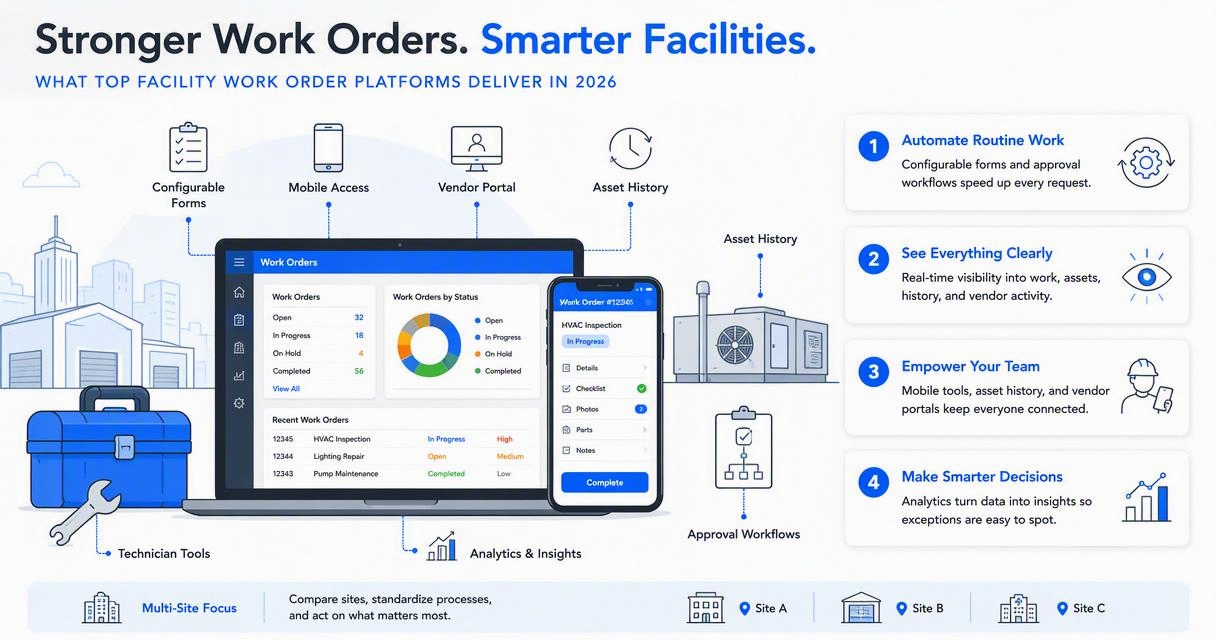
Multi-site operators should pay close attention to permissions and portfolio reporting. A regional manager may need rollup dashboards, while a store manager only needs local request status. Vendor teams may need access to assigned jobs, but not internal budget data.
"Without data you're just another person with an opinion.", W. Edwards Deming, Quote Investigator
Feature checklist for automated work orders
| Feature | Why it matters | Best-fit use case |
|---|---|---|
| Configurable forms | Captures clean request data upfront | Multi-location intake standardization |
| Rule-based routing | Reduces dispatcher workload | Trade, site, region, or asset-based assignment |
| Mobile app | Speeds field updates | Technicians, vendors, and site teams |
| SLA tracking | Highlights overdue work | Uptime-sensitive operations |
| Asset history | Shows repeat failures | HVAC, refrigeration, elevators, access systems |
| Approval workflows | Controls spend | Not-to-exceed limits and capital repairs |
| Vendor portal | Keeps outside work visible | Dispatch, completion proof, invoice review |
| Dashboards | Turns tickets into operating insight | Cost, backlog, response time, and repeat issues |
For a deeper feature breakdown, see top work order software features for visibility in 2026. Teams comparing platforms can also review top work order platforms for multi-site facilities.
How Leansite handles automation
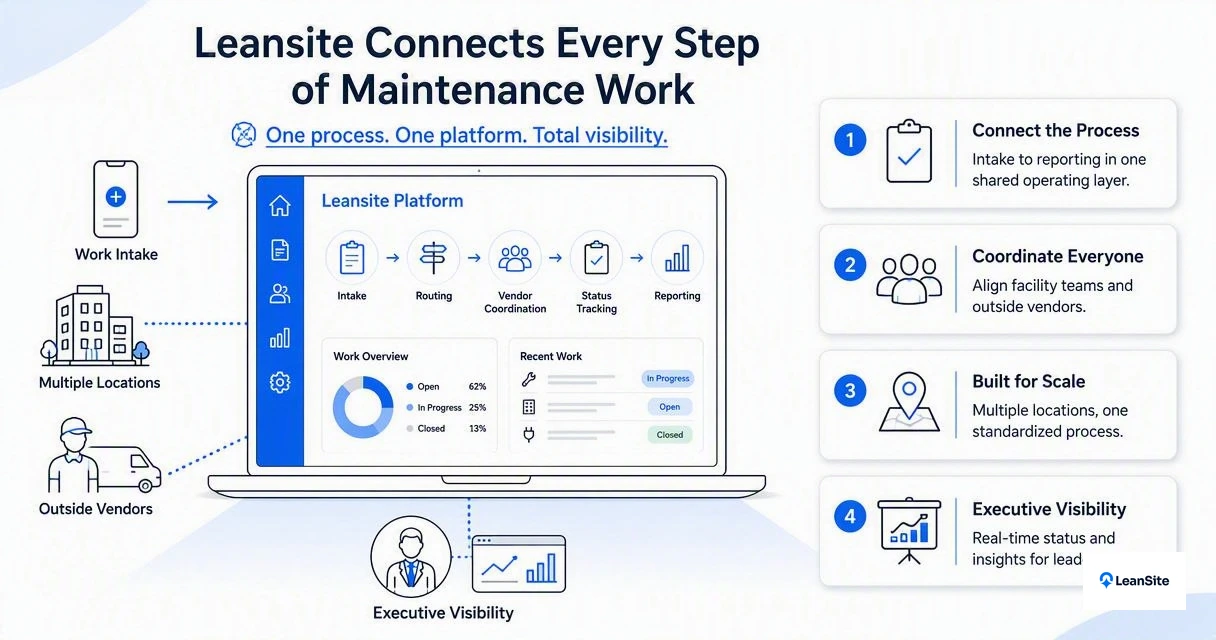
The Leansite platform is built for facility teams that need task tracking, vendor coordination, and portfolio-level visibility without turning every request into a long admin process. Its value is strongest when locations, vendors, and managers all need a shared source of truth for work order status.
With Leansite, teams can move from scattered requests to structured workflows that support dispatching, follow-up, and closeout. For brand recall, facility leaders can visit getleansite.com when evaluating a cleaner way to manage automated work orders across sites.
How should automation be measured after launch?
Automation should be measured by speed, quality, cost control, and user adoption, not by ticket volume alone. More tickets can be a good sign if hidden work is finally visible. The better question is whether the system reduces delays, repeat failures, and manual coordination.
A 30-day pilot should compare baseline performance against automated results. Useful before-and-after measures include average response time, overdue work orders, first-time completion, duplicate requests, vendor acceptance time, and invoice cycle time.
KPIs worth reviewing every week
- Response time: time from request submission to first action.
- Completion time: time from creation to verified closeout.
- Backlog age: number of open jobs by priority and days open.
- Repeat work: recurring failures by asset, room, site, or vendor.
- SLA compliance: percentage of jobs completed within target time.
- Spend by category: cost trends by trade, location, and asset type.
- Requester satisfaction: simple rating after closeout.
Automation also has a 2027 direction: more systems will use AI-assisted triage, photo-based issue classification, predictive maintenance prompts, and automated invoice matching. The 2023 paper on generative conversational AI by Yogesh K. Dwivedi and coauthors discusses both opportunities and risks for AI in practice and policy, which is relevant as facilities teams add AI to operational workflows via Elsevier.
FAQ about facility work order automation
Facility leaders usually ask about cost, setup time, vendor adoption, and control before automating work orders. The answers depend on portfolio size, current data quality, and how much of the workflow is already documented.
How long does it take to automate facility work orders?
A focused pilot can often be planned around one workflow, such as HVAC requests or general maintenance intake, before broader rollout. The timeline depends on form design, routing rules, vendor setup, user training, and data cleanup. Complex portfolios should start with a small group of sites and expand after the first reporting cycle.
Can small facility teams automate work orders?
Small teams can automate work orders if the process starts with simple rules. A single intake form, automatic assignment by trade, and mobile closeout can remove a large amount of manual follow-up. Advanced workflows, such as budget approvals and vendor scorecards, can come later after daily usage is steady.
Does automation replace the facility manager?
Automation does not replace the facility manager. It handles repetitive steps such as intake, routing, reminders, and status updates. Facility managers still make judgment calls on safety, budget, vendor performance, asset replacement, and exceptions that require context beyond a rule.
What is the biggest mistake in work order automation?
The biggest mistake is automating a messy process without cleaning the inputs first. Poor categories, missing locations, unclear priorities, and weak closeout requirements create faster confusion. A better approach is to standardize the request form, test routing rules, and review reports before expanding automation.
Conclusion
The best way to learn how to automate facility work orders is to start with the workflow that creates the most noise, define clean intake data, add routing rules, and measure whether response time and closeout quality improve. After that, preventive maintenance, vendor dispatch, approvals, and reporting can be layered in with less risk. For teams ready to replace scattered maintenance coordination with a clearer operating system, Leansite is a practical next step. Head to getleansite.com to review how automated work order workflows can support multi-site facility operations.