TL;DR
A useful monthly report connects completed maintenance, unresolved risks, spending, vendor performance, and owner decisions. Use a repeatable template with traceable records and clearly defined KPIs, then assign every approval request an owner and deadline.
A facility management report should make the next decision obvious, not just count closed work orders. Property owners need visibility into spending and asset condition; facilities teams need a clear record of progress and priorities.
Facility management report: A structured summary of building operations, maintenance, costs, risks, and decisions for a defined reporting period.
For 2026, the practical goal is traceability: every reported result should connect to a dated work order, inspection, invoice, or approval. A short, evidence-backed monthly update is more useful than a long activity dump.
Table of Contents
What should a facility management report include?
A facility management report should include completed work, unresolved risks, budget exceptions, vendor issues, and decisions requiring owner approval. It should identify the reporting period, properties covered, data cutoff, and responsible manager. Supporting records make the summary verifiable, while assigned actions turn operational information into a clear management agenda.
Facility management: Coordinated management of buildings, sites, workplaces, and supporting services that keep them functional, safe, and effective.
An inspection record supplies evidence; the monthly management summary explains its business impact. The Mitti facility report template focuses on inspections, photos, meter readings, and actions. Those records can support the broader owner-facing report.
Monthly reporting guide
- Report contents
- Copyable monthly template
- Preparation steps and KPIs
- Platform evaluation
- Reporting FAQs
Facilities responsibilities behind the numbers
SFG20's introductory video provides background on the maintenance responsibilities a report should reflect.
Monthly report template and annotated example
The following monthly template groups operational evidence into five decision-focused categories and can be copied into a document or spreadsheet.
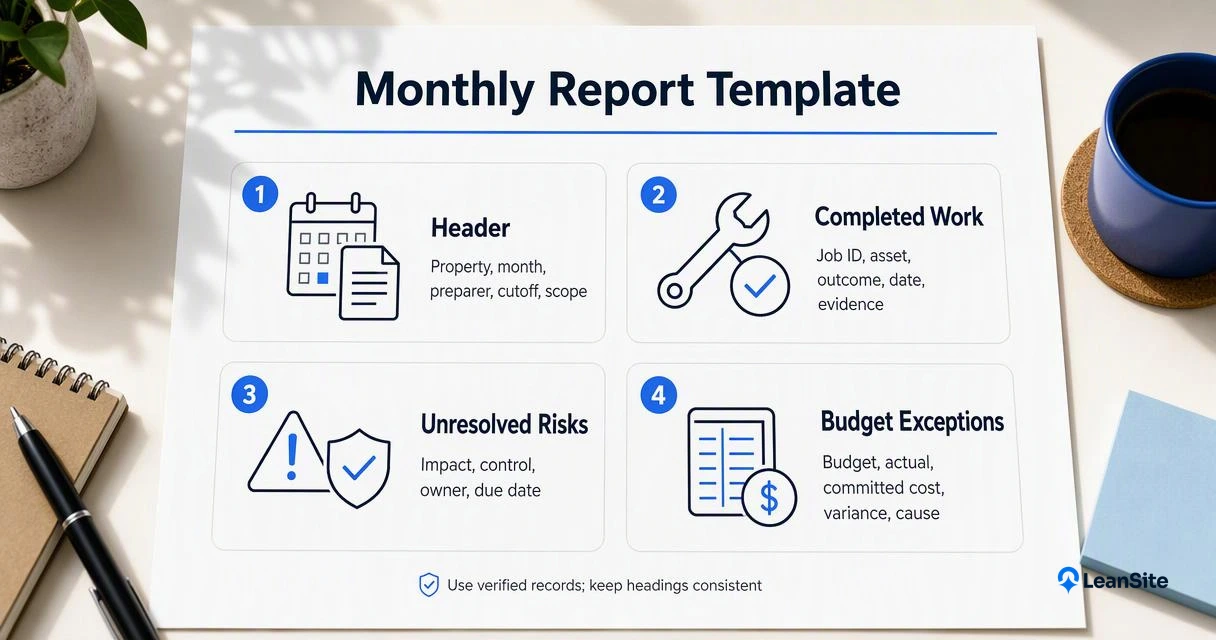
Report header: [Month/year] | [Property or portfolio] | [Prepared by] | [Data cutoff] | [Previous reporting period].
Use property and asset identifiers consistently. For shared records, work-order transparency for campus facilities provides related reading on making maintenance information visible.
Copyable owner-facing monthly report
| Report category | Fields to complete | Evidence to attach |
|---|---|---|
| Completed work | [Job ID, asset, completion date, outcome] | [Closeout notes, photos, labor record] |
| Unresolved risks | [Issue, impact, interim control, responsible person, deadline] | [Inspection, test result, open job] |
| Budget exceptions | [Budget, actual, committed cost, variance, cause] | [Invoices, purchase orders, forecast] |
| Vendor issues | [Vendor, obligation, exception, corrective action, due date] | [Contract terms, attendance, acceptance record] |
| Owner approvals | [Decision, options, recommendation, amount, deadline] | [Quotes, scope, business justification] |
Field definitions that prevent ambiguity
- Completed: Work accepted after verification, not merely marked finished by a contractor.
- Interim control: A temporary measure that reduces exposure until permanent work is complete.
- Actual cost: Posted spending within the stated reporting period.
- Committed cost: Approved obligations not yet posted as actual spending.
- Variance: Actual spending minus budget; label overspending and underspending explicitly.
Illustrative approval entry with annotations
Hypothetical example, not a benchmark: "Site B, rooftop unit RTU-04: approve a $4,800 repair by November 6. The unit remains operational under daily checks. The attached quote covers the replacement component and labor; the facilities manager will verify completion."
The asset ID locates the equipment. The amount defines the approval scope, the deadline sets urgency, and the verification owner establishes accountability. Record alternatives and the reason for the recommendation when the decision involves competing options.
How should teams prepare a monthly report?
Teams should prepare a monthly report by fixing the reporting period, reconciling maintenance and financial records, calculating consistently defined measures, validating exceptions, and assigning decisions. The sequence below keeps the summary tied to source evidence and gives property owners a clear route from operational results to approvals.
- Set the cutoff: Apply one date and time across properties.
- Reconcile records: Match work orders, inspections, invoices, and purchase orders; identify missing evidence.
- Calculate measures: Use the same formulas and reporting scope each month.
- Validate exceptions: Confirm unresolved items with site leads and vendors.
- Assign decisions: Name the approver, requested amount, and response deadline.
Clear job statuses support cleaner reporting. The guide to simplifying facility work orders covers the upstream workflow.
KPI definitions worth standardizing
- On-time preventive maintenance: PM tasks completed by their due date divided by PM tasks due during the period, multiplied by 100.
- Overdue backlog: Open jobs past their due date at the cutoff, grouped by priority and age.
- Asset downtime: Recorded unavailable hours for a named asset during the period.
- Budget variance: Actual period spending minus the approved period budget.
Report counts alongside percentages so small workloads remain visible. Separate emergency jobs from planned work, and compare sites with similar operating conditions rather than ranking unlike buildings.
Consistent history supports trend analysis, as discussed in why second-year facilities data gains value.
A KPI needs a definition, a reporting window, and a traceable source before it deserves a place in an owner update.
Where Leansite fits monthly reporting
Leansite is an option for facilities teams evaluating how software can support their monthly reporting workflow.
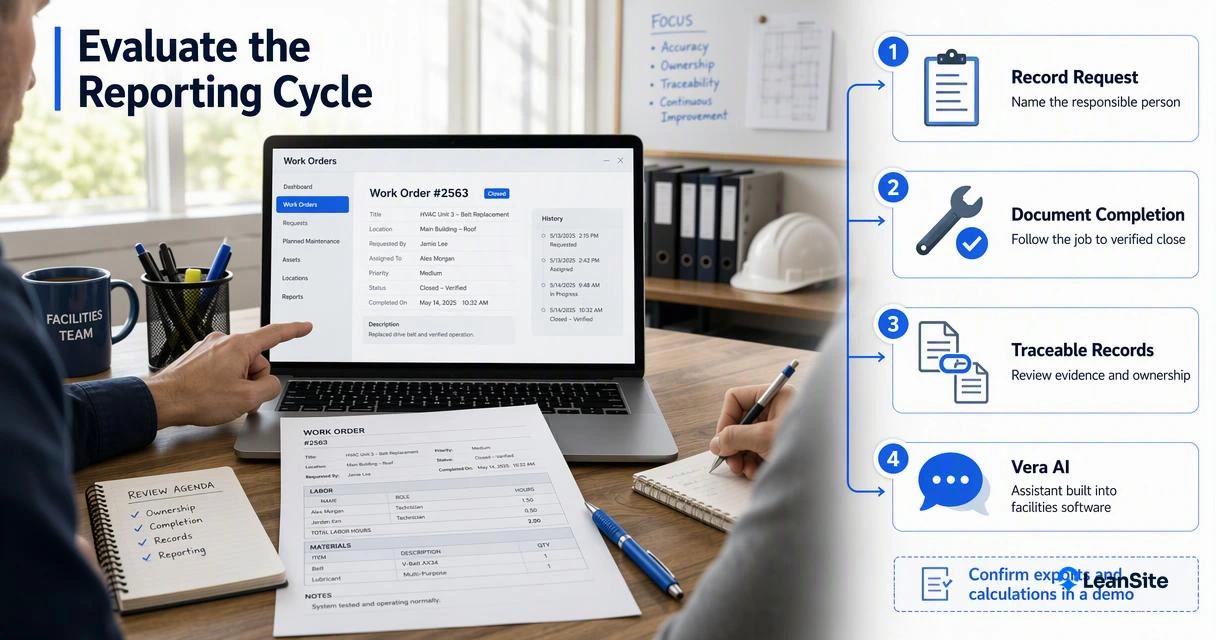
The template above gives evaluators a practical demonstration brief: follow one maintenance request through assignment, completion evidence, cost review, and the final management summary. That keeps the discussion focused on the team's actual reporting needs.
A practical platform evaluation checklist
- Ask how property, asset, and vendor records connect.
- Confirm reporting filters, exports, permissions, and audit history.
- Test whether the monthly template can be populated from available records.
The multi-site work-order platform guide offers related evaluation context. A demonstration of the Leansite platform can help establish which requirements match its current capabilities.
Monthly facilities reporting FAQs
Monthly facilities reporting works best when its cadence, audience, and evidence requirements are agreed before preparation begins.
Urgent operational escalation and scheduled management reporting serve different purposes.
How often should facilities reports be prepared?
Monthly reporting is a practical default for budget review, maintenance trends, and owner approvals. Weekly updates can track active projects or time-sensitive work. Safety incidents and service interruptions need escalation when they occur; they shouldn't wait for the next scheduled reporting cycle.
What is the difference between an inspection report and a management report?
An inspection report records observed conditions, readings, photos, and follow-up actions at a particular time. A management report combines those findings with work progress, spending, vendor performance, and requested decisions. Inspection evidence supports the summary but doesn't replace the broader operational and financial view.
Can a spreadsheet support monthly facilities reporting?
A spreadsheet can support monthly reporting when records are controlled and the workload is manageable. It needs consistent asset IDs, protected formulas, named contributors, and links to evidence. Software becomes worth evaluating when coordinating sites, vendors, approvals, and record updates requires substantial manual reconciliation.
Conclusion
Start the next facility management report with the five-category template, agree on KPI definitions, and assign every approval a deadline. Then test the process against one property's records. Teams considering software support can review Leansite and arrange a reporting-focused discussion through getleansite.com.